Product · Preparing for Release
Old Computer to Build Machine
A computer built for turning ideas into real first builds.
Start with games and creative tools in iDontCry. Take a promising idea into Step In The Ring. Use the included free software to build, test, and improve it on your own machine.
Capable old computers still have work left in them: Buy a Build Machine · Build Your Own · Sell or Donate Computers
Laptops, desktops, mini PCs, workstations, and selected Macs. No payment on this website.
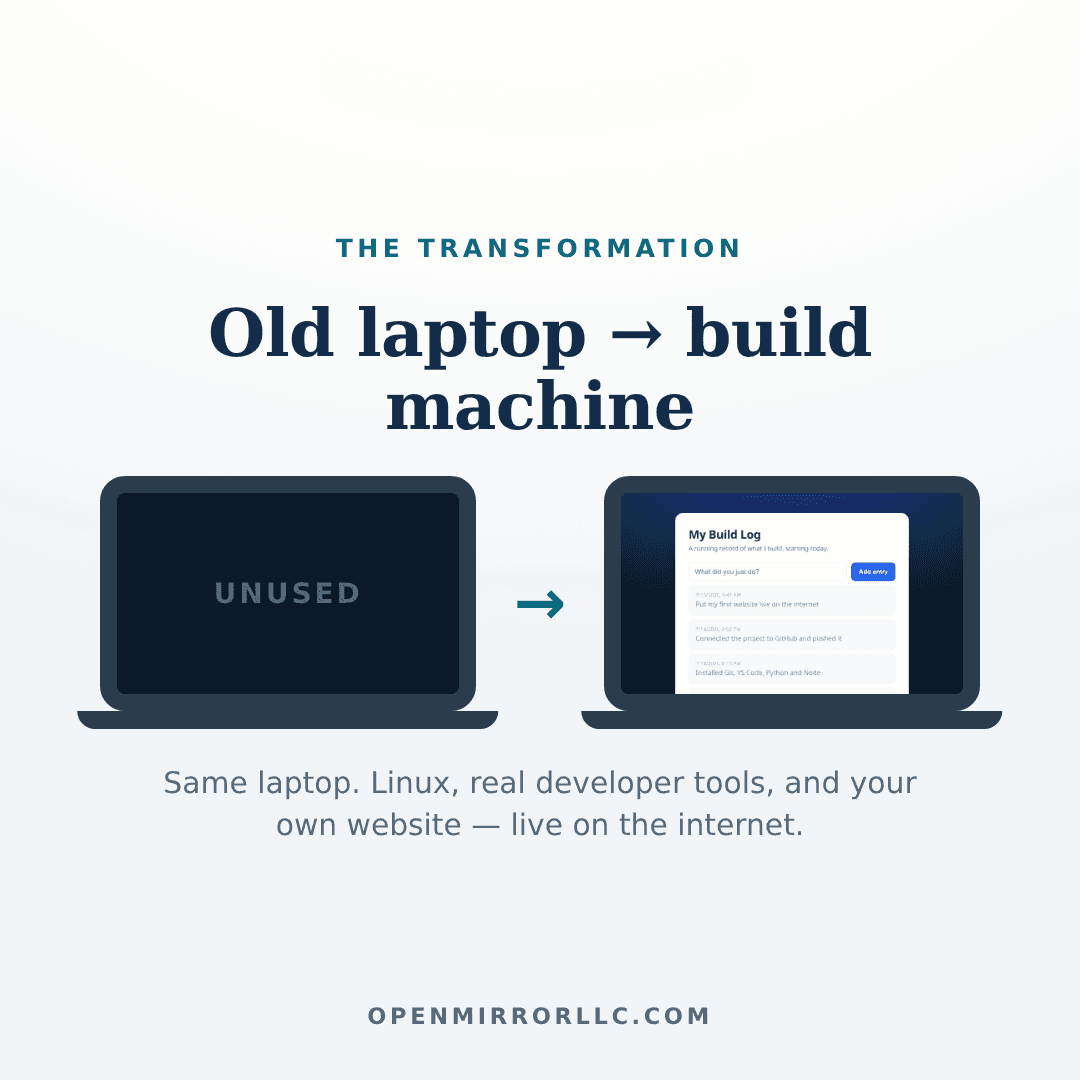
Old unused computer → clean supported operating system → practical build tools → tested development environment → ready to start creating. Laptop, mini PC, small-form-factor desktop, or approved tower.
Built from Open Mirror's original process for turning an older desktop PC into the machine used to create and publish its first products.
How a Build Machine works
A Build Machine is a physical entrance into the Open Mirror ecosystem — not just a refurbished computer with free software on it. The whole machine is arranged around one journey:
- Play and CreateiDontCryPlay original games, try creative tools, and make things with your family. No account, no programming knowledge needed.
- Choose an IdeaYou decideSomewhere in the playing, an idea shows up that deserves more. You pick the one worth a real build.
- Build ItStep In The RingBring the idea to the right engine and get back a concrete plan for a real first version.
- Work LocallyFree software on your Build MachineOpen the plan and files in the included editor, and do the actual making on your own machine.
- Test and ImproveMachine + engines togetherRun it, see it working, make changes, and return to Step In The Ring for the next guided step.
- MVP1The outcomeA real first working version — not a promised business or a finished professional product. Something true you made.
You own your original ideas, your projects, and everything the journey produces.
Step 1 · Start in iDontCry
iDontCry is the approachable starting environment: games, creative tools, and ideas worth trying. Play, explore, make things with your family, and discover what you enjoy — no account and no programming knowledge needed. It's a real family playground in its own right, and it's also where build-worthy ideas tend to show up.
The Games arcadeGames
Original games built by Open Mirror — play them, then realize someone made them, and you could too.
CircuitGames
A collection of mission-based sports games — football, baseball, skiing, pole vault — deep enough to keep a family competing.
Dream ShopCreative tools
Dream up artwork and product ideas. A natural first stop when 'what if…' strikes.
PianoMusic
Real piano lessons in the browser — a doorway into the music side of building.
The Family WelcomeFamily
What iDontCry is for a family — play together, make things together, and practice taking a dream all the way to a real build.
Step 2 · Build it in Step In The Ring
Step In The Ring is where a promising idea becomes a real first build: take any idea — even one you dreamed up on iDontCry — and turn it into a plan for version one. Different engines help with different kinds of ideas:
- Works
Clarify a raw idea into something buildable
- Beta
Turn a chosen idea into a real first-build brief
- Beta
Lay out the structured steps from here to version one
- Beta
Shape an idea into an offer someone could actually buy
- Beta
Develop a song or music idea into a real project
- Beta
Turn something you know into a useful guide or product
- Works
Develop a sellable design concept, end to end
Status labels come straight from Step In The Ring's own honest engine registry. The deeper guided engines and saved projects open through Step In The Ring Membership — $7.77 per month when activated, billed monthly, cancel any time — and terms are always shown before you sign up. Nothing here claims a subscription is included with a machine. Your ideas, projects, and output remain yours.
Step 3 · The planned free software setup
The first ready-built release is planned to include these free tools — the final setup is confirmed after the pilot machines pass installation and hardware testing. This is not a random developer catalog: every application is here to help you do the actual work that iDontCry sparks and Step In The Ring guides, all of it free to use and signed into nothing.
Separate from this plan, the existing self-service materials — the free readiness check and the playbook's scripts and instructions — are real today and unchanged.
Browse and use Open Mirror
FirefoxStart · Standard · Pro
Your window into iDontCry and Step In The Ring, and the place you preview the things you build. Ships signed into nothing — no Open Mirror, Google, or personal account.
Write and edit a build
Visual Studio CodeStart · Standard · Pro
The one included code editor. When Step In The Ring hands you a build plan or starter files, this is where you open them, make guided changes, and see the structure of what you're making.
Run and test projects
Node.js + npm + CorepackStart · Standard · Pro
In plain language: this is what runs a website or app on your own machine while you work on it, before anything goes on the internet.
Python 3 + pip + venvStart · Standard · Pro
A second, friendly language for small tools and experiments — useful the first time an idea needs a script rather than a website.
Basic build toolsStart · Standard · Pro
Behind-the-scenes plumbing so project installs 'just work'. You'll rarely touch it directly.
Simple local web serverStart · Standard · Pro
One command turns any project folder into a website you can open in Firefox — the fastest way to see your build working.
Create visual assets
GIMPStandard · Pro
For photos and pixel images: cropping, cleanup, and edits to artwork you made in the Dream Shop or need for a Design Shop product.
InkscapeStandard · Pro
For logos and icons: crisp shapes that scale to any size — the kind of graphics an app or game build needs.
Work with music and sound
AudacityStandard · Pro
The Music Engine guides a song project; Audacity is where you record, trim, and keep your own takes. Your recordings stay yours, on your machine.
VLCStart · Standard · Pro
Plays nearly any media file — review a recording, check an exported video, or just listen while you work.
Write stories, guides, and plans
LibreOffice (Writer, Calc, Impress)Start · Standard · Pro
Where written work lives: a How to Anything guide, an idea document, a project plan, or the pages of a story — saved as normal files you own.
PDF viewerStart · Standard · Pro
Opens the included guides and anything you export as PDF.
Plain-text editorStart · Standard · Pro
For quick notes and small edits — always a click away.
Save versions and continue work
GitStart · Standard · Pro
Saves snapshots of your project as it grows, so no experiment can destroy your work. It runs entirely on your machine and needs no account.
GitHub CLIStart · Standard · Pro
If you choose to create your own free GitHub account, this connects to it — for backing up projects and putting a first website online. Entirely optional; nothing is signed in when the machine arrives.
Works with an optional outside account you create and own — separate from Open Mirror.
Advanced building
SQLiteStandard · Pro
When a Step In The Ring app build needs to remember things, this is the simplest real database — one file, no server.
Docker EngineStandard · Pro
For larger builds: runs project services in tidy, isolated boxes. Included on Pro machines, optional on Standard, and deliberately left off Start machines.
PostgreSQLPro
A production-grade database, for Pro machines and projects that have genuinely outgrown SQLite.
Heavier services like containers and databases appear only on Standard and Pro machines — entry machines stay light on purpose.
Accounts and subscriptions, plainly
- The included computer software is free to use — locally, forever, with no account.
- iDontCry is the free starting playground. It needs no account today.
- Step In The Ring provides deeper guided building tools through Step In The Ring Membership — $7.77 per month when activated, billed monthly, cancel any time.
- Subscription terms and prices are shown before you sign up — never buried, never pre-checked, never hard to cancel.
- No subscription, account, or paid entitlement is included with a machine unless its listing expressly says so.
- Outside services — GitHub, AI assistants, hosting — are optional, separate, and use accounts you create and own.
- No account of any kind is preconfigured on the machine, and no payment information is ever stored on it.
- Without any subscription, the Build Machine remains a fully working Linux computer. Nothing on it is locked, disabled, or degraded by not subscribing.
What the first run looks like
- Welcome to your Build Machine — a short guide, not a takeover. You stay in control of your computer.
- You create your own local username and password, your own fresh browser profile, and — only when you choose — your own optional GitHub, AI-service, or Open Mirror accounts. Nothing arrives signed in.
- You choose where to begin: Play and Create in iDontCry, Build an Idea in Step In The Ring, or Open the Free Local Tools.
- A guided first project connects all three: pick a simple idea from playing in iDontCry, type it into the right Step In The Ring engine, open the resulting plan and starter files in the editor, run it locally, make one visible change, and return to the engine for the next step.
Honesty note: today the bridge between products is you — you carry your idea from iDontCry into Step In The Ring yourself. No automatic transfer or synchronization between the products is claimed, because none exists yet.
Buy a Build Machine
A finished Build Machine is a computer Open Mirror has taken in, wiped, inspected, upgraded where it made sense, configured, and tested — ready to use the day it arrives. It is prepared to help you:
- Develop an idea
- Learn how to build
- Create websites, apps, tools, and games
- Use a code editor, browser, and terminal
- Work with guided AI tools in the browser
- Move from idea to prototype
- Test and improve the prototype
- Reach a real first version — an MVP you can show
You own your ideas, your work, and everything you build. Guided building tools from Open Mirror and StepInTheRing are a browser tab away.
Honest limits: these are practical refurbished computers. They are not promised to run large AI models locally, edit professional video, play modern games, or train machine-learning systems.
The lineup
Build Machine Laptop
Portable and self-contained
Build Machine Desktop
Bring your own monitor and keyboard
Build Machine Mini
Small, quiet, easy to place
Build Machine Workstation
More power for bigger projects
Build Machine Mac
Only when an appropriate machine is available
Availability comes from individually tested inventory — no machine is listed before it is real, sanitized, and has passed its full functional test.
Three software levels, matched to the journey
Build Machine Start
- iDontCry games and creative tools
- Idea exploration and documents
- Story writing and guides
- Basic websites and simple JavaScript
- Python basics
- Lightweight Step In The Ring projects
- Hosted AI tools through your own accounts
Build Machine Standard
- Full Step In The Ring web-app projects
- Modern Node.js and Python development
- Browser testing
- Local databases and light container use
- Design and audio work
- AI-assisted coding through your own accounts
Build Machine Pro
- Larger Step In The Ring builds
- Heavier containers and multiple local services
- Larger test suites
- More demanding media work
- Advanced game and application projects
- Selected local AI experiments where the hardware genuinely supports them
Levels describe the installed software and what the hardware comfortably handles. They do not change any account or subscription entitlement.
Available machines
Inventory coming soon
The first batch of Build Machines is being sourced and prepared now. Each one will be listed individually with real photographs, exact specifications, what was replaced or upgraded, its condition report, its warranty and return terms, and its exact price.
Join the first Build Machine releaseHow every sold machine is prepared
- Ownership and hardware intake are verified.
- Any company or personal management locks must be removed before a machine moves forward.
- The original storage is securely sanitized or removed. The process is intended to follow documented media-sanitization practices.
- The hardware is inspected and cleaned.
- Upgrades are installed when they make sense — usually an SSD or more memory.
- The supported Build Machine software environment is installed and configured.
- Ports, networking, storage, memory, and major functions are tested.
- The machine is packaged with a clear written condition report.
Sanitization is documented per machine. Open Mirror does not claim a formal data-destruction certification.
What kinds of computers make the cut
The preferred standard
- 64-bit processor
- Intel Core i5 or i7 — sixth generation or newer preferred
- AMD Ryzen 3, 5, or 7
- Comparable Intel Xeon workstation processors
- 8 GB RAM minimum · 16 GB preferred
- 128 GB SSD minimum on a completed entry machine · 256 GB preferred
- Working USB boot support and unlocked firmware
- Functional networking
- No swollen battery, major liquid damage, or structural failure
Reviewed individually
- Fourth- or fifth-generation Intel Core machines
- Machines with 4 GB RAM that are economically upgradeable
- Computers without drives, when standard replacement storage fits
- Computers without chargers
- Machines with weak but safe batteries
- Repairable business-class systems
- Workstations with proprietary parts
- Intel Macs
- All-in-one computers
Normally not accepted
- 32-bit-only systems
- Intel Atom, and very low-end Celeron or Pentium systems
- Core 2 Duo and AMD E-series
- Machines permanently limited to 4 GB RAM
- Tiny soldered eMMC-only systems
- Firmware-locked computers and Activation-Locked Macs
- Corporate-management-locked devices
- Swollen batteries and liquid-damaged systems
- Equipment without clear legal ownership
A special focus: capable computers that can't officially upgrade to Windows 11 but still have years of useful life on a supported Linux system.
Not sure if your computer can become a Build Machine?
The Build Machine Assessment is an interactive tool that walks you through your computer's capabilities — no account needed, completely free. It helps you:
- Check whether your computer is a reasonable candidate
- Prepare your computer safely before any changes
- Track installation and verification step by step
- Produce a completion report you can download
Build Your Own
Already have an old laptop or desktop? Two ways to turn it into a Build Machine: do it yourself with the playbook, or send it to Open Mirror for conversion. Instructions are specific to your starting point — Windows and Linux paths are covered separately, no single installer is claimed to cover every system, and Apple computers are excluded from the conversion pilot.
The do-it-yourself path lands you in the same ecosystem as a ready-built machine — it never just installs Linux and ends:
- Learn how the Build Machine ecosystem works (this page).
- Check your computer's compatibility.
- Back up everything you want to keep.
- Choose the correct path for your PC — Mac paths are noted separately where supported.
- Install the supported operating system.
- Install the same free software setup listed above.
- Open the Build Machine welcome guide.
- Start in iDontCry.
- Continue in Step In The Ring.
- Open and work on your first local project.
- Learn how to recover or reinstall the machine.
Path 1 · Build It Yourself
$39
One-time · pilot pricing · preparing for release
The complete self-service playbook. You keep your computer and do the conversion yourself, step by step.
Join the release listPath 2 · Send Us Your Computer
From $149
Plus shipping · pilot pricing · limited availability
The Open Mirror Build Machine Conversion: an approved computer is erased, configured, tested, and returned ready to build.
Start a device requestNothing is purchasable yet on this page and no payment is taken on this website — pilot pricing is shown so you know what to expect. Expected standard pricing after the pilot: starting at $199 plus shipping. The from $149 starting price covers an approved laptop, mini PC, or small-form-factor desktop needing no hardware repair or unusual compatibility work; larger towers, all-in-ones, and heavy or fragile systems may need an individual quote. Final pricing for an approved request is confirmed during review, before any invoice is sent.
How it works
- RequestTell Open Mirror about your laptop or desktop with the device request form below. No account, no payment — just honest answers about the machine.
- ReviewOpen Mirror reviews every request individually and replies: accepted, more information needed, or declined. Nothing is owed for a review.
- InvoiceAn accepted request receives a secure Novo invoice by email. Depending on the payment options enabled on the invoice, you may pay through PayPal, Venmo, card, or another method shown there. No payment is taken on this website.
- ShipAfter payment is confirmed, you receive written shipping instructions. Your request number travels with the device, and you hear back when it arrives.
Do not ship anything until Open Mirror has reviewed your request, accepted the exact computer, confirmed payment, and sent shipping instructions.
What a finished Build Machine is planned to contain
- A clean, supported Linux operating system
- Current operating-system updates
- iDontCry and Step In The Ring one click away in a fresh browser
- The full free Build Machine software setup, signed into nothing
- The Build Machine welcome guide and a guided first project
- Git for saving versions — your optional accounts stay yours
- A tested path from played-with idea → real first build
Confirmed per machine after pilot installation and hardware testing — every unit's listing states exactly what it ships with.
Laptops and desktops, equally welcome
Laptop
All-in-one and portable — the machine, screen, and keyboard travel together. Pilot requirements:
- Personally owned Intel or AMD 64-bit laptop
- 4 GB RAM minimum · 8 GB preferred
- 64 GB storage minimum · SSD strongly preferred
- Working screen, keyboard, and trackpad
- Working charging port and Wi-Fi
- No BIOS or firmware password
- No organizational management lock
- No serious physical damage
- No swollen or damaged battery
Desktop PC
Mini PC, small-form-factor desktop, or standard tower — you keep your monitor, keyboard, and mouse. Pilot requirements:
- Personally owned Intel or AMD 64-bit desktop
- Mini PC, small-form-factor desktop, or standard tower
- 4 GB RAM minimum · 8 GB preferred
- 64 GB storage minimum · SSD strongly preferred
- Working video output and USB ports
- Working Ethernet, or compatible Wi-Fi capability
- Its correct power cable
- No BIOS or firmware password
- No organizational management lock
- No severe physical or internal damage, liquid exposure, or unsafe power supply
- No internal contamination that makes safe servicing impractical
Neither path is automatically cheaper, safer, or easier to ship — it always depends on the exact machine. All-in-one desktops are reviewed individually; they are more fragile, screen-dependent, and can cost more to ship. Meeting these requirements does not guarantee acceptance.
Why an old desktop can be a great build machine
- Memory and storage are often replaceable
- No aging laptop battery to worry about
- Strong performance for the cost
- Still useful after retiring as the family computer
- Usually easier to open, maintain, and upgrade
- More ports and stronger cooling
Mini PCs and small-form-factor desktops are compact and easy to ship. Traditional towers are heavier, need stronger packaging, and may need an individual shipping quote.
Inside the playbook (preparing for release)
The finished playbook is intended to include:
- Computer-readiness guidance
- Laptop and desktop compatibility guidance
- Linux installation instructions
- Supported build-tool setup: browser, Visual Studio Code, Git, Node.js
- GitHub setup guidance
- A starter project
- A deployment walkthrough
- Verification checklist
- Troubleshooting guidance
- Recovery preparation
- Desktop notes: monitors, Ethernet, Wi-Fi adapters, storage, peripherals
Until it opens, the free readiness check is real and available today: download the free check (PDF).
Start a device request
Your internal drive will be erased. Back up everything you want to keep before sending or dropping off a computer. Open Mirror's standard conversion does not include backup, recovery, or transfer of personal files.
Do not ship anything until Open Mirror has reviewed and explicitly accepted your exact computer, confirmed payment, and sent shipping instructions.
What happens after you submit
- Open Mirror reviews your request and replies by your preferred contact method.
- No payment is taken on this website, and no payment is requested until a request is accepted.
- An accepted request receives a secure Novo invoice by email.
- Payment happens on that hosted invoice — PayPal, Venmo, card, or another method enabled on it.
- Shipping instructions follow confirmed payment. Until then, keep the device at home.
Packing, previewed
Basic guidance so you know what to expect — the final, binding shipping instructions arrive only after your request is accepted and payment is confirmed:
- Wait for written approval and shipping instructions before packing anything.
- A sturdy reused box with proper computer-safe padding is fine; original manufacturer packaging is preferred when you have it.
- Laptops: include the charger when requested. Desktops: include the power cable when requested — keep your monitor, keyboard, and mouse.
- Write your request number on a note inside the box.
- Laptops with swollen or damaged batteries must not be shipped.
What an approved conversion is intended to include
- Initial hardware-readiness inspection
- Exterior condition and serial-number documentation
- Existing internal drive erased as part of installation
- Supported Linux installation and operating-system updates
- Browser, Visual Studio Code, Git, and Node.js installed
- Practical build-tool configuration
- Open Mirror starter project
- Basic GitHub connection guidance
- System boot and USB testing
- Sound testing, when supported
- Ethernet testing for desktops, when available
- Wi-Fi testing when built in, or with a compatible adapter you supply
- Keyboard and pointing-device testing
- Video-output testing for desktops
- A simple returned-device test report
- A printed or digital quick-start guide
- Limited setup support for 30 days
For desktops, the standard service covers the computer itself and its required power cable. Keep your own monitor, keyboard, mouse, speakers, printer, external drives, and other accessories at home.
What this is not
Repair work
- Hardware repair or board-level repair
- Broken-screen replacement
- Liquid-damage repair
- Battery repair or replacement
- Power-supply or graphics-card repair
- Monitor repair
Your data
- Data backup
- Data recovery
- Transfer of personal files
Parts, software, and peripherals
- Parts of any kind
- Paid software or Windows licensing
- A monitor, keyboard, or mouse
- Shipping of monitors, unless specifically approved
Devices we can't take in the pilot
- Apple computers and Chromebooks
- School, employer, government, leased, or managed devices
- Devices with unknown BIOS or firmware passwords, or organizational locks
- Devices with swollen, leaking, recalled, or physically damaged batteries
Guarantees we don't make
- Guaranteed Linux compatibility
- Guaranteed future hardware life
- Guaranteed support for unusual internal components or proprietary accessories
- Guaranteed performance on unsupported hardware
Simple upgrades — an SSD, extra RAM, a compatible Wi-Fi adapter, a replacement power cable — may become separately quoted options later. They are not for sale now.
Before anything ships — your responsibilities
- You must own the computer or have legal authority to approve the work.
- You are responsible for removing any organizational locks first.
- Open Mirror will inspect and approve the exact model before any shipment.
- Shipping instructions are sent only after a computer is approved and payment is confirmed.
- Customer-paid inbound shipping is anticipated for the mail-in pilot; return-shipping handling is confirmed in writing during review.
- A local drop-off pilot may open before broader shipping does.
- A sturdy reused box with proper computer-safe padding is fine; original manufacturer packaging is preferred when you have it. Open Mirror may reject inadequate packaging or ask for different packaging.
- Include the laptop charger or desktop power cable when requested.
- Do not ship a monitor, keyboard, mouse, speakers, printer, or any other peripheral unless specifically approved.
- Laptops with swollen or damaged batteries must not be shipped.
- Desktop towers may need stronger packaging and a separate shipping quote.
- Mini PCs and small-form-factor desktops can be especially good mail-in candidates — compact, and no large laptop battery — though acceptance still depends on the exact model, condition, weight, and packaging.
How the local pilot works
The first paid conversions are handled through controlled, appointment-only local drop-off and pickup. That keeps the pilot small while Open Mirror tests every part of the process:
The limited mail-in pilot, after that
Mail-in service opens only after the local process is proven. The initial United States mail-in pilot may accept:
- Approved laptops
- Approved mini PCs
- Approved small-form-factor desktops
- Selected desktop towers, quoted individually
It will not automatically accept:
- Monitors
- Large gaming towers and custom liquid-cooled systems
- Fragile all-in-one desktops
- Servers and rack-mounted hardware
- Apple computers and Chromebooks
- Laptops with damaged batteries
- Organizationally managed devices
The pilot roadmap
- Finish and verify the self-service playbook.
- Complete internal laptop and desktop test machines.
- Complete a small local conversion pilot.
- Open a limited local paid pilot.
- Measure installation time, support needs, compatibility, and real cost.
- Test approved laptops, mini PCs, and small desktops through a limited United States mail-in pilot.
- Add selected desktop towers once packaging and shipping procedures are proven.
- Expand only after the process is safe, profitable, and repeatable.
Questions, answered plainly
Can I send a desktop instead of a laptop?
Yes — laptops and desktops are equally welcome to request. Mini PCs, small-form-factor desktops, and selected towers are all candidates. Every computer is reviewed and approved individually first.
What types of desktops are accepted?
Mini PCs and small-form-factor desktops are the easiest fits. Standard towers can work but may need an individual shipping quote. All-in-ones are reviewed case by case because they're fragile and screen-dependent.
Is a mini PC a good candidate?
Often, yes. They're compact, easy to ship, have no large laptop battery, and many have replaceable memory and storage.
Do I need to send my monitor?
No — please don't. Keep your monitor, and plug the returned machine into it. Monitors are only ever shipped if Open Mirror specifically approves an unusual case.
Should I send my keyboard and mouse?
No. Keep them — the returned machine will work with the ones you already have.
Should I include the power cable or laptop charger?
Yes, when requested during approval. The standard desktop service covers the computer and its required power cable.
How do I pay?
Not on this website. If your request is accepted, Open Mirror sends a secure Novo invoice by email. Depending on the payment options enabled on that invoice, you may pay through PayPal, Venmo, card, or another method shown on the invoice.
When do I pay?
Only after your request is accepted and you receive the invoice — never at submission. Shipping instructions come after payment is confirmed, so nothing ships before both sides know exactly where things stand.
How do I know my request went through?
You get an Open Mirror request number on the confirmation page, and a confirmation email when email delivery is available. Every later update — review result, invoice, shipping instructions — references that number.
Are desktop computers easier to convert?
Sometimes. They're often easier to open, upgrade, and keep cool, and there's no battery to age out. But it always depends on the exact model.
Are desktop computers cheaper to ship?
Not necessarily. A mini PC can be cheap to ship; a full tower can be heavy and need stronger packaging and an individual quote.
Will you repair my computer?
No. This is a conversion service for working computers, not a repair shop. Hardware repair of any kind is not included.
Will you save my files?
No. The internal drive is erased as part of installation. Back up everything you want to keep before anything else — backup, recovery, and file transfer are not included.
Will I still have Windows?
No. Windows is replaced by a supported Linux system. Windows licensing is not included and is not part of the service.
Can every old computer become a build machine?
No. Some are too old, too damaged, or incompatible. That's exactly what the request review is for — and meeting the basic requirements still doesn't guarantee acceptance.
Can I send a MacBook or Mac desktop?
Not for conversion — Apple computers are excluded from the conversion pilot for now. If you want to sell or donate a Mac instead, use the interest form: selected Intel and Apple Silicon Macs are reviewed for the Build Machine lineup.
Can I send a Chromebook?
Not during the pilot. Chromebooks are excluded for now.
Can I send an all-in-one desktop?
Only after individual review. All-in-ones are more fragile, screen-dependent, and can be expensive to ship safely.
Can I send a gaming PC?
Large gaming towers and custom liquid-cooled systems are not part of the initial mail-in pilot. A standard tower may qualify with an individual quote.
Who pays for shipping?
For the mail-in pilot, customer-paid inbound shipping is anticipated, on top of the conversion price. Return-shipping handling is confirmed in writing during review, before any invoice is sent.
Can I reuse my box?
Yes, if it's structurally sound and padded properly for a computer. Original manufacturer packaging is preferred when you have it. Open Mirror may ask for different packaging before accepting a shipment.
Should I send my computer now?
No. Do not ship anything until Open Mirror has reviewed your request, explicitly accepted your exact computer, confirmed payment, and sent shipping instructions.
What happens if it's not compatible?
You'll hear that plainly, before anything ships, and nothing is owed. That's why the review happens first.
Is this a secure-wipe or certified data-destruction service?
No. The selected internal drive is erased during installation, but this is not marketed as certified data destruction, and permanent unrecoverability is not guaranteed. If you need certified destruction, use a dedicated service.
What will I be able to build?
A real website, built with the same practical tools used across Open Mirror: Linux, a browser, Visual Studio Code, Git, GitHub, and Node.js — starting from an included starter project.
Is support included?
The conversion is intended to include limited setup support for 30 days after the machine comes back.
Is the service available now?
Conversions run as a small pilot. Device requests are open now for laptops and desktops; every request is reviewed individually, and submitting one does not guarantee acceptance. The playbook is preparing for release.
Sell or donate computers
Businesses and individuals often have retired equipment sitting in a closet. Open Mirror buys and accepts donated computers to prepare as Build Machines, and may be interested in:
- Business-class laptops
- Desktops and small-form-factor computers
- Mini PCs
- Workstations
- Selected Intel Macs
- Selected Apple Silicon Macs — a separate premium lane
- Computers without drives, when standard replacement storage can be installed
- Capable machines that can't officially upgrade to Windows 11 but still have useful life
Every machine goes through the same intake: verified ownership, management locks removed, original storage securely sanitized or replaced. Quantity matters less than condition — one good laptop or forty matching desktops are both welcome to ask about.
For business equipment: ownership transfer must go through your organization's authorized asset-disposition process. Open Mirror cannot accept computers that still contain workplace data or remain enrolled in company management — those locks must be released by the organization first.
Build Machine interest
Buying, transforming your own, offering retired equipment, or just wanting first-batch availability updates — one short email covers all of it.
The fine print, in plain language
Have an old laptop or desktop gathering dust? Tell Open Mirror about it — the review is free, and you'll get a straight answer.
Start a device requestAn independent Open Mirror LLC product and service. Built and operated using Open Mirror's own time, equipment, accounts, and resources.